 Overlay Pen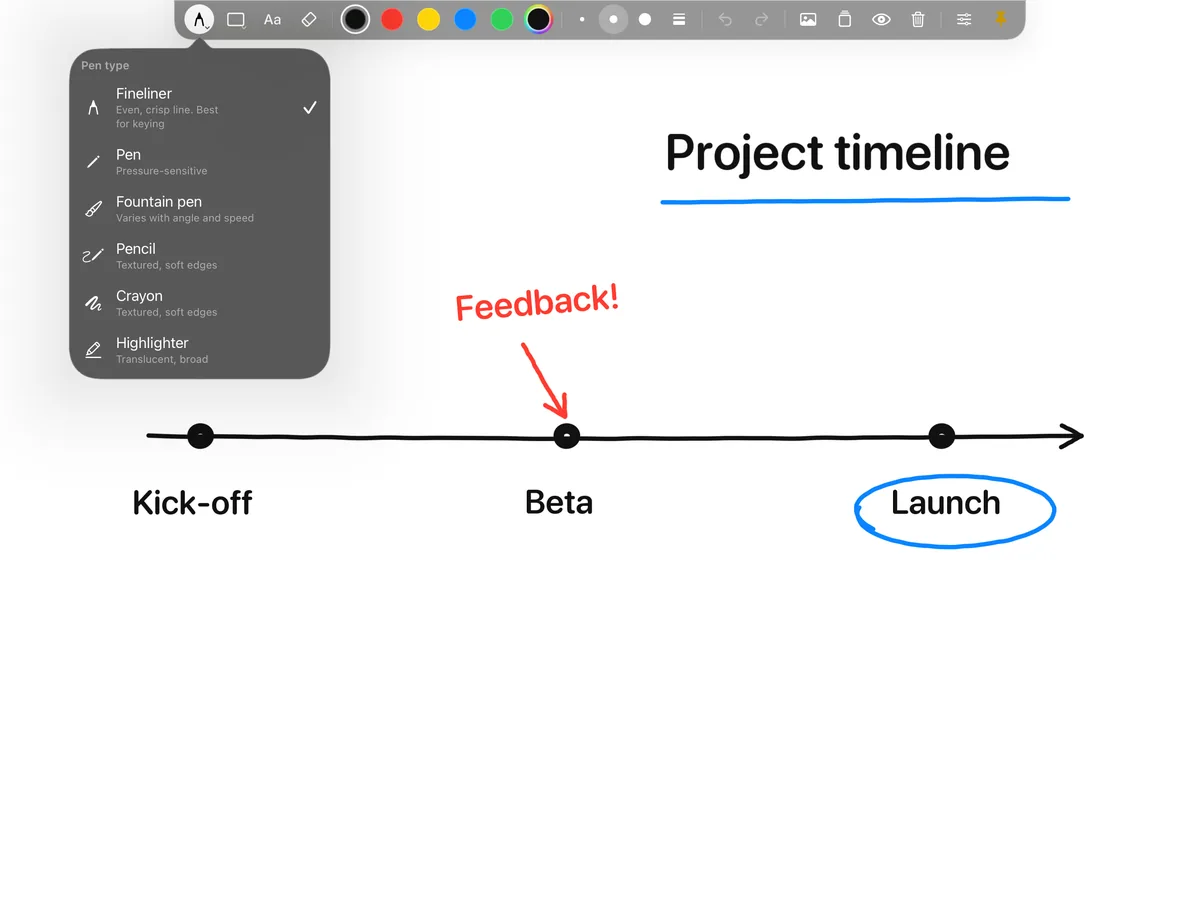
Write it while you explain it
A worked example on a slide is already finished. On a board it develops step by step, at the speed you talk. Overlay Pen gives you that board over video. Use the fineliner for clean handwriting, the highlighter to mark what matters, shapes for neat boxes and arrows, and text for anything you would rather type.
Your board, your way
Choose a white board or a blackboard when you want a plain teaching surface, or green or blue when the drawing should float over your camera or slides. Pinch to zoom into a detail, rotate the board to write comfortably, and use two-finger tap to undo, just like in Notes.
Prepare once, reuse every lesson
Save a board as a draft before class and open it when you need it. Add photos of a worksheet, a map or a diagram, move and scale them with your fingers, and write over them in class.
Fits the tools schools already use
Teach in Zoom, Teams or Google Meet through the virtual camera in OBS Studio or Ecamm Live, record a lesson in OBS, or send a clean picture over HDMI to a classroom projector.
Questions
Do students need anything?
No. They see your normal video. The drawing is part of the picture you send.
Can I write with my finger?
No. Overlay Pen draws only with Apple Pencil, so your hand can rest on the screen while you write. Fingers are for gestures like zoom and undo.