 Overlay Pen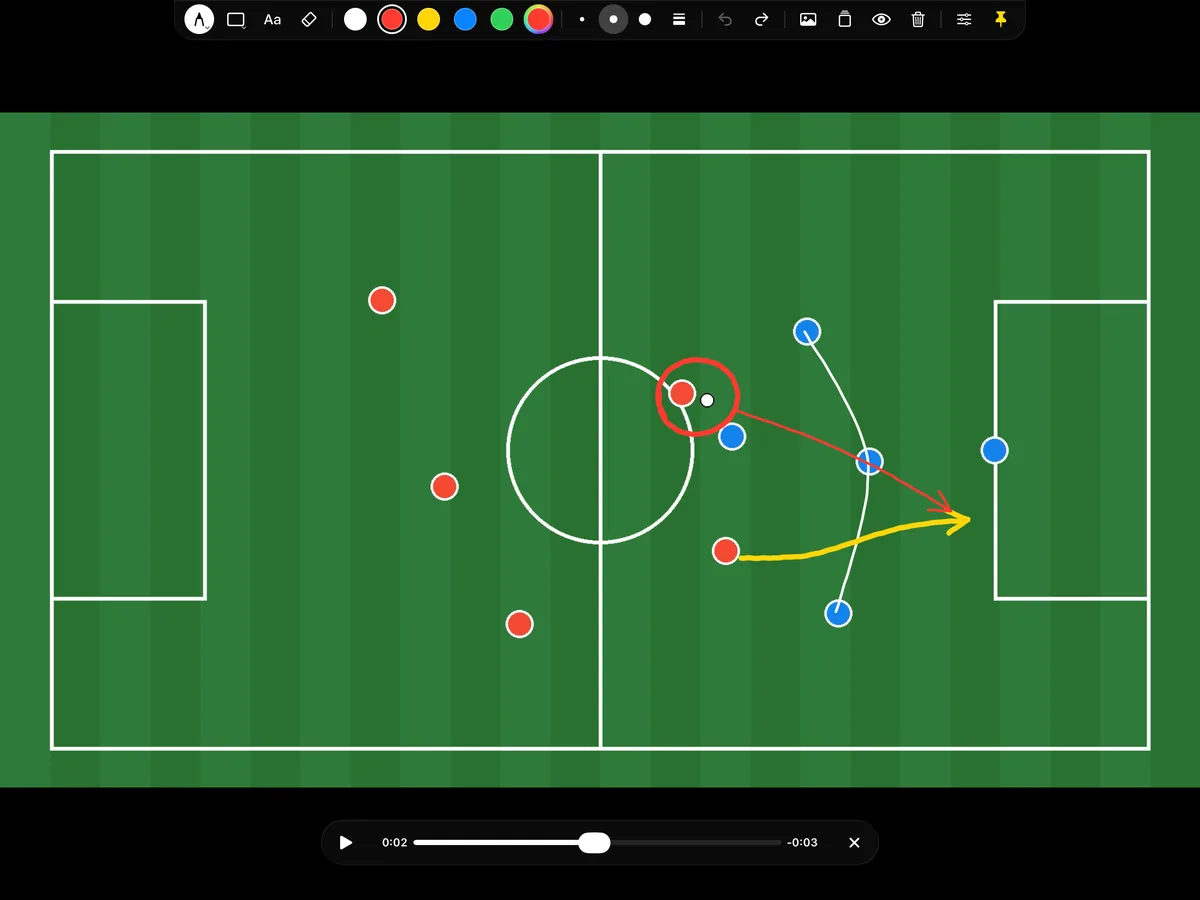
Made for the way coaches explain
Pick a clip from the camera roll and it fills the board. Touch the iPad with Apple Pencil and the video pauses on that frame. Circle the player, draw the run, connect the back line. Press play and the drawing stays while the move unfolds. Scrub to another moment and the board clears, ready for the next situation. Changed your mind? Two-finger tap brings the drawing back.
Live, in the studio or the dressing room
Use it in a live show through OBS or Ecamm Live, where the video is streamed to the overlay at full quality and follows play, pause and scrubbing on the iPad. Or connect the iPad to a TV or projector with HDMI and talk the team through the match. The palette stays on the iPad.
Zoom into the detail
Pinch to zoom into a corner of the pitch. The video and the drawing zoom together, and the ink stays sharp.
Questions
Which video formats work?
Anything the iPad's Photos app plays, including iPhone videos in HEVC and H.264. The wireless overlay plays the original file in the browser source.
Can I keep the drawing while the video plays?
Yes, that is the default. If you prefer a clean board every time you press play, turn on "Clear drawing when the video plays" in Settings.